WatchGuard solution

Identity Security & MFA

Verify users, reduce credential risk and protect VPN, computer and cloud-application access with AuthPoint.

Solution overview

Passwords alone are not sufficient protection against phishing, credential theft and unauthorized access. Identity security must verify who is requesting access and apply policies appropriate to the user, device and context.

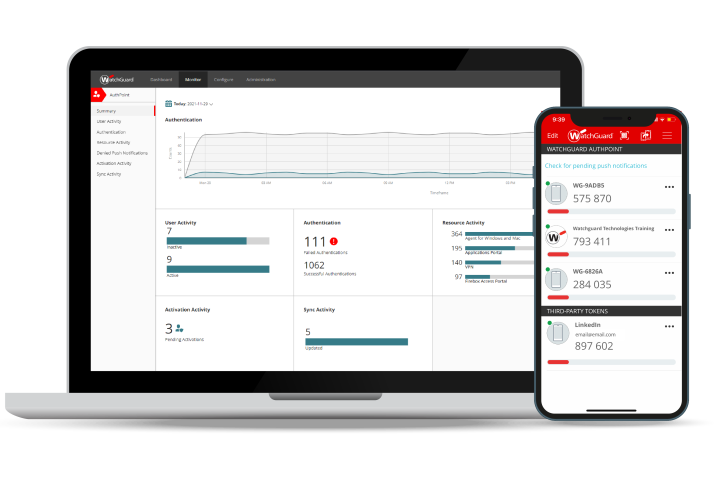
WatchGuard AuthPoint provides cloud-native multi-factor and passwordless authentication for compatible VPNs, Windows and macOS login, cloud applications and Microsoft identity environments. ITMAP ASIA supports user sizing, integration planning, authentication methods and deployment preparation.
Expected outcomes

What this solution is designed to improve.

01

Reduce dependence on passwords alone

02

Support push, OTP, QR code, passkeys and compatible hardware tokens

03

Protect VPN, cloud applications and computer login

04

Apply adaptive and risk-aware policies

05

Centralize user, token and policy management

06

Support multi-tenant operations for service providers

Solution architecture

Recommended building blocks.

The final combination depends on the project environment, current WatchGuard licensing and technical validation.

01

WatchGuard AuthPoint MFA

02

AuthPoint mobile application and compatible authentication methods

03

AuthPoint agents for supported computer-login scenarios

04

RADIUS, SAML, OIDC and eligible Entra ID integrations

05

WatchGuard Cloud identity administration

06

Optional hardware tokens and Total Identity Security

Where it fits

Common use cases.

Use these examples as a starting point rather than a substitute for assessment and sizing.

Remote-access MFA

Add stronger verification to compatible VPN access.

Cloud-application protection

Apply MFA and SSO to eligible SaaS and business applications.

Computer-login security

Protect supported Windows and macOS sign-in workflows.

Passwordless access

Use passkeys and biometrics where supported.

Microsoft identity protection

Extend authentication to eligible Microsoft 365 and Entra ID scenarios.

Restricted environments

Use compatible hardware tokens where mobile phones are not permitted or practical.

Recommended process

From assessment to operation.

  1. 01

    Identify applications, VPNs and user groups

  2. 02

    Select authentication methods and fallback options

  3. 03

    Review directory and identity-provider integration

  4. 04

    Design enrollment and recovery procedures

  5. 05

    Pilot representative users and applications

  6. 06

    Roll out, communicate and monitor authentication events

Related WatchGuard products

Products commonly used in this architecture.

The list is indicative. Final product selection and licensing should be confirmed through solution sizing.

Frequently asked questions

Important points before design and quotation.

Can AuthPoint protect VPN access?

Yes, AuthPoint supports compatible VPN and RADIUS-based workflows, subject to the specific appliance and integration design.

Does AuthPoint support passwordless authentication?

AuthPoint supports passkey-based, phishing-resistant authentication in eligible environments.

Can users authenticate without a mobile phone?

Compatible hardware tokens can be used for environments where mobile devices are unavailable or prohibited.

Official referencesSource reviewed: 2026-07-28
Solution consultation

Turn the requirement into a practical WatchGuard architecture.

ITMAP ASIA supports assessment, product sizing, licensing, demonstration and deployment preparation for partners and organizations in Vietnam.

Request a Quote